
Built for PakistanUsed by pharmaceutical distribution teams in cities across the country

Manage your pharmaceutical distribution business from one connected system. Datalink DFS brings inventory, batch and expiry tracking, purchasing, sales, mobile order booking, recovery, accounting, compliance and reporting together so your team can manage daily operations with better control.
Pharma Distributor Software for pharmaceutical distribution businesses operating across Pakistan.
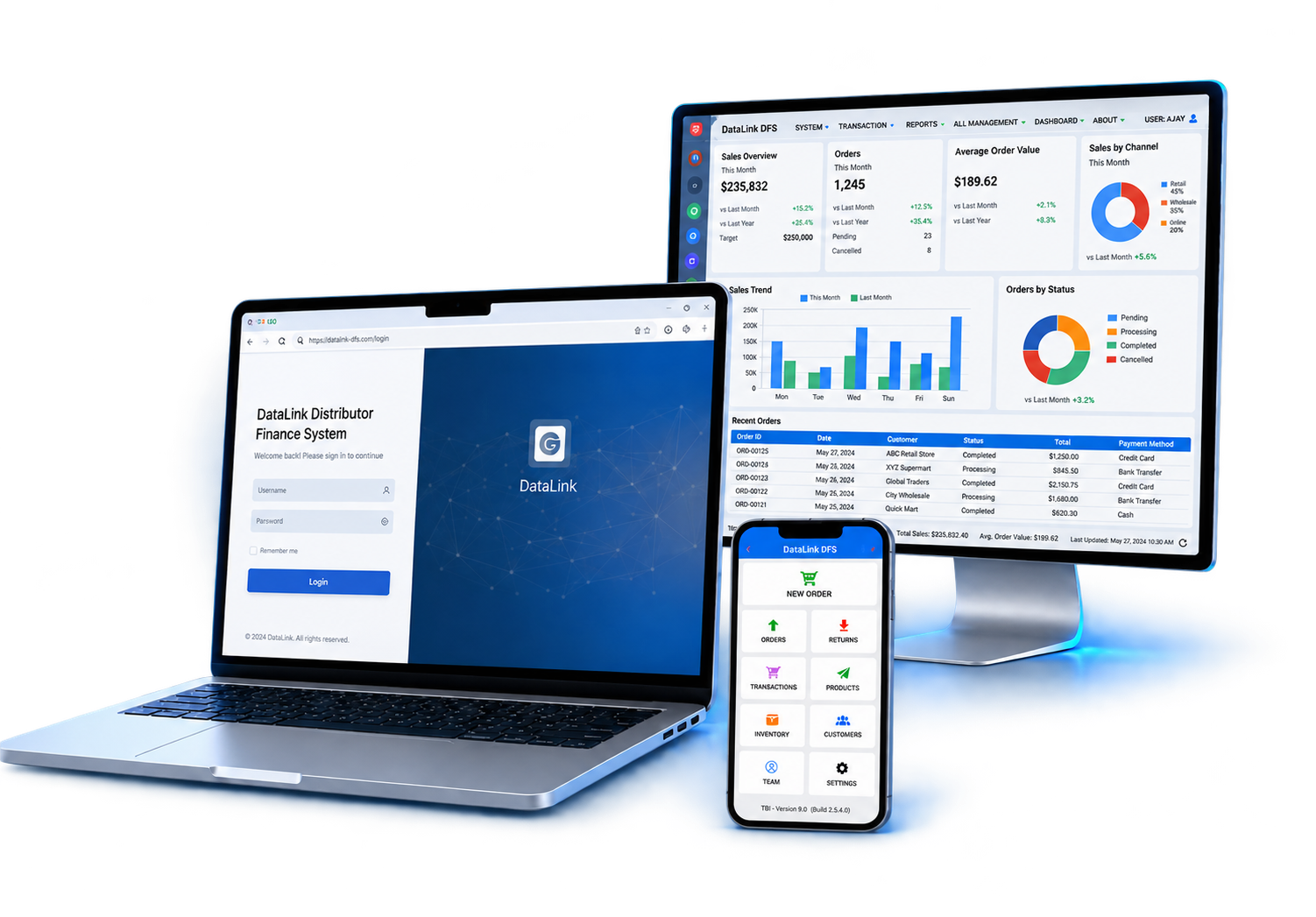
Datalink DFS is medicine distribution software designed around the day-to-day requirements of pharmaceutical distributors, from warehouse stock and field orders to customer recoveries and management reporting.



















Pharmaceutical distribution involves more than buying and selling medicines. Distributors need control over batches, expiry dates, stock, field orders, customer balances, recoveries, purchasing, accounts and reporting. Datalink DFS connects these operations in one system.
Track medicine batches and expiry dates so your team can identify short-dated stock earlier and manage inventory with better visibility.
Batch & Expiry ControlMaintain clearer stock records across warehouses, branches, purchases, sales, returns and stock transfers.
Inventory ControlGive field sales teams a structured way to record customer orders and send order information back to the distribution operation.
Mobile Order BookingKeep customer outstanding balances, collections, credit activity and recovery records connected with sales and accounts.
Recovery & AccountsKeep invoices, transaction records, accounting information and supported compliance processes organized within the distribution workflow.
GST & FBR ComplianceView sales, purchases, inventory, recoveries, accounts and business reports without collecting information from separate systems.
Analytics & ReportingDatalink DFS connects the main stages of pharmaceutical distribution so information moves through the business without maintaining separate records for every department.
This pharmaceutical distributor software manages the main functions of distribution through connected modules built around stock, sales, field operations, finance and management reporting.

Track pharmaceutical products, available quantities, stock movement, warehouse activity and inventory records.
Maintain batch-wise medicine records and monitor expiry information to improve control over short-dated and expired stock.
Manage suppliers, purchases, goods received, purchase records and the movement of purchased products into inventory.
Connect field sales activity with customer orders, sales processing and distribution operations.
Allow authorized field staff to record customer orders through a mobile workflow and send them to the main distribution system.
Manage invoices, customer balances, supplier accounts, recoveries, payments and financial records alongside distribution activity.
Maintain the supported tax and invoicing records needed for your pharmaceutical distribution operation.
Review sales, stock, purchases, recoveries, financial activity and other business data through management reports.
Explore how products, customers, field operations, finance and management reporting work together inside one pharmaceutical distribution system.
Maintain better control from supplier purchase to warehouse stock. Datalink DFS keeps product, batch, expiry, purchase and stock information connected so distribution teams can see what they have, where it is and how it is moving.
Maintain pharmaceutical product records and monitor stock quantities as purchases, sales, returns and transfers affect inventory.
Record batch-level information and expiry dates for medicines so teams can identify stock by batch and monitor products approaching expiry.
Record purchases and supplier transactions while keeping purchased quantities connected with inventory and accounts.
View and manage stock across the distribution operation with clearer records of stock receipts, issues, adjustments and movement.
Record stock movement between supported branches or warehouses while maintaining a traceable inventory record.
Review product quantities, stock movement, batch information, expiry status and other inventory data from centralized reports.

Datalink DFS combines specialized pharmaceutical distribution workflows with connected operational and financial information, giving office teams, field staff and management one system for their day-to-day work.
Manage medicines, batches, expiry information, field sales, recoveries and accounts through workflows designed around pharmaceutical distribution.
Keep orders, stock movement, invoices, customer balances, recovery activity and reporting connected instead of maintaining separate records.
Support local pharmaceutical distribution requirements, tax information and implemented FBR invoicing workflows within the same system.
Configure Datalink DFS around the users, locations and operational capabilities your distribution business requires.
Datalink DFS supports pharmaceutical distribution businesses that need better control over inventory, sales, field operations, recovery, accounting and reporting.
Choose Cloud-based at PKR 5,000/month or On-premises at PKR 95,000 one time.
Run Datalink DFS with a cloud-based setup and monthly billing.
Run Datalink DFS on your own premises with a one-time payment.
Tell us how your distribution business operates and our team can help identify the appropriate setup.
Practical answers about Datalink DFS, implementation and the workflows pharmaceutical distributors commonly need.
Pharmaceutical distribution software connects the workflows used to buy, store and sell medicines. It typically brings products, batches, expiry dates, purchases, inventory, customer orders, invoicing, recoveries, accounts and reporting into one system so a distributor can manage operations with a consistent set of records.
Datalink DFS is designed specifically for Pakistani pharmaceutical distributors. It connects product, batch and expiry tracking, purchasing, warehouse stock, sales, mobile app order booking, customer recovery, accounting, tax compliance, multi-branch control and management reporting in one system. Its industry focus, connected workflows, mobile app support, local implementation support and practical operational visibility make it a strong choice for distribution businesses in Pakistan.
A distributor usually needs product and batch management, stock control, purchasing, sales and billing, customer credit and recovery, accounting, tax handling and operational reporting. Field sales, mobile ordering, branch management and cloud visibility may also be important depending on the size and structure of the business.
Yes. Datalink DFS can record batch information and medicine expiry dates with stock transactions. This supports batch-wise visibility through purchasing, inventory and sales and helps teams identify short-dated or near-expiry stock using the controls available in their implementation.
Datalink DFS supports product and customer tax information, GST, withholding tax and FBR digital invoicing workflows where the required integration and configuration are implemented. The exact setup should be confirmed during the product demonstration for your business and current invoicing requirements.
Yes. The mobile order-booking workflow enables field salespeople to select customers and products and enter quantities, prices, bonuses and discounts while working in the market. Orders can then be synchronized with the office workflow according to the deployed setup.
Yes. Billing can connect with outstanding invoices, receipts, payment allocation, customer balances, ageing, ledgers, banking, trial balance and profit and loss reporting. Available accounting depth depends on the package and configuration selected for the distributor.
Datalink DFS can support multi-branch operations, including branch-level stock and sales, transfers, user access and consolidated visibility. Because branch structures differ, the recommended workflow and package should be confirmed during discovery and implementation planning.
Yes. Datalink DFS offers a Cloud-based plan at PKR 5,000 per month. It includes core distribution, batch-wise stock, sales and DSR, accounts, and multi-user access. Select Request Cloud-based Setup in the pricing section to discuss your business requirements and get started.
Use the request demo form and share a little about your products, users, branches and current process. The Datalink team can then arrange a focused walkthrough around the workflows that matter most to your pharmaceutical distribution business.
See how Datalink DFS can connect inventory, batch and expiry management, purchasing, sales, mobile order booking, recovery, accounting, compliance and reporting for your pharmaceutical distribution business.